
 EN
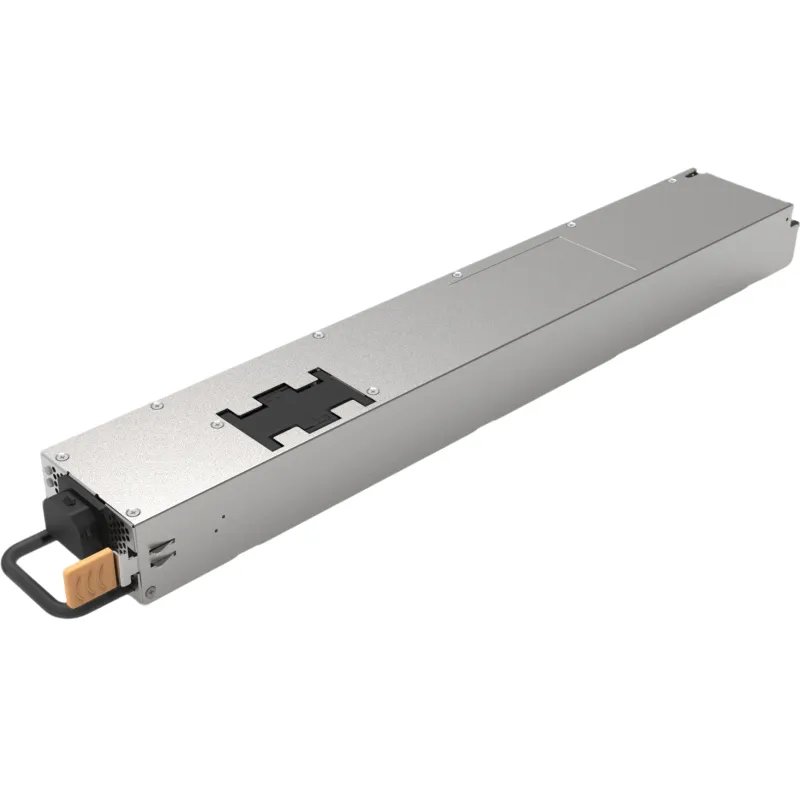
Integrating a server power supply unit is not simply a matter of matching wattage. The supply must fit the chassis, connect to the platform correctly, support the intended redundancy model, and operate safely within the rack’s electrical and thermal limits. Checking these details before installation helps prevent avoidable downtime and commissioning delays. A redundant power supply configuration for servers also depends on the interaction between the units, the host, and the facility feed.
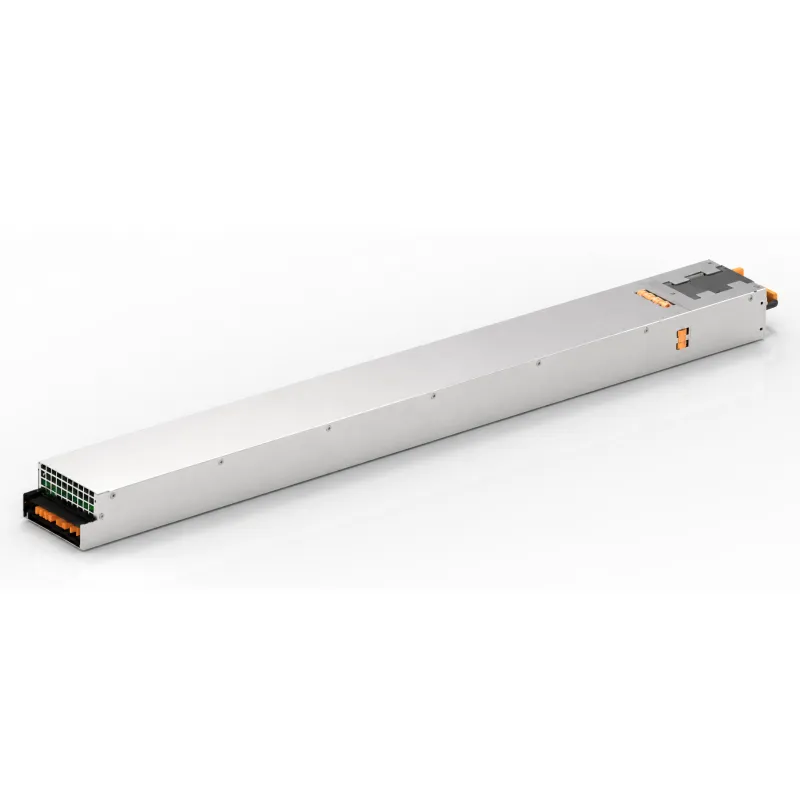
A useful compatibility review starts with the server’s documentation and the exact replacement or expansion scenario. Confirm the electrical interface, physical envelope, airflow direction, control signals, and service procedure as one connected set. Evaluate 80 PLUS efficiency ratings for data center power supplies alongside load conditions, rather than treating a rating as a guarantee of savings. Also verify whether hot-swap power supply replacement in rack servers is supported by the chassis and operating procedure.
Electrical and mechanical fit
Confirming input, output, and connector requirements
Begin by checking the server’s accepted input voltage range, frequency, and input connector. Then compare the required output rails, current limits, connector pinout, and power-good or enable signals against the platform specification. 80 PLUS efficiency ratings for data center power supplies describe conversion efficiency under defined test conditions; they do not establish electrical interchangeability. Confirm that the proposed unit meets the host’s electrical requirements at the expected input and operating load.
Connector shape alone is not enough to establish a match. Check pin assignments, keying, cable reach, and whether the design uses a shared power distribution board or dedicated leads. A mismatch can prevent startup or create an unsafe condition, even if the supply appears to fit. When reviewing 80 PLUS efficiency ratings for data center power supplies, keep the electrical compatibility check separate from efficiency selection so each requirement receives a clear pass or fail.
Matching chassis dimensions and airflow
Compare the supply’s width, height, depth, retention points, and handle clearance with the server chassis. A unit that slides into the bay may still obstruct adjacent hardware or fail to latch securely. Check fan orientation and airflow direction as well: the power supply must work with the server’s front-to-back or other specified cooling path. 80 PLUS efficiency ratings for data center power supplies do not indicate whether a unit’s airflow suits a particular rack configuration.
Review the rack’s available power, cabling route, and service clearance before installation. Thick power cords, nearby rails, or tightly packed equipment can make access difficult and restrict exhaust. Check that the supply’s rated input conditions match the facility distribution used at that location, including any planned changes to the rack. These practical checks complement 80 PLUS efficiency ratings for data center power supplies by addressing the operating environment rather than the conversion test alone.
Redundancy and replacement readiness
Verifying the intended redundancy model
A redundant power supply configuration for servers should be assessed against the server’s supported operating modes, not assumed from the number of bays. Confirm whether the units share load, operate in an active-standby arrangement, or follow another documented scheme. Check the capacity available after one supply fails, using the server’s actual expected load and any installed accelerators or storage devices. The redundant power supply configuration for servers must preserve the required workload during the failure condition.
Trace each supply to its upstream power source. Connecting both units to the same circuit can leave the server exposed to a single facility-side failure, even when two modules are installed. A resilient redundant power supply configuration for servers therefore considers separate feeds, circuit capacity, and rack power distribution together. Document the intended arrangement so installation and maintenance teams can tell whether each cord is connected to the correct source.
Planning hot-swap service and failure response
Hot-swap power supply replacement in rack servers is appropriate only when the server and its power system support removal while operating. Confirm the vendor’s procedure, required status indicators, and minimum number of healthy modules before pulling a unit. A documented hot-swap power supply replacement in rack servers process should also identify how to verify that the remaining supply can carry the live load without exceeding its limits.
Service readiness includes more than the physical swap. Check module latches, replacement access, alert behavior, and whether the system logs a removal or fault event. Train staff to match the replacement unit to the approved specification and to confirm normal status after insertion. Hot-swap power supply replacement in rack servers can reduce disruption when supported, but it does not remove the need to assess workload headroom or follow the chassis procedure.
Efficiency, thermal behavior, and validation
Evaluating efficiency at real operating loads
Use 80 PLUS efficiency ratings for data center power supplies as one input to procurement and deployment decisions. Compare the rating with the load range at which the server is expected to run, because efficiency varies with load. A supply selected for a peak workload may spend much of its service life at a different operating point. The 80 PLUS efficiency ratings for data center power supplies should therefore be read with workload patterns and the power system’s capacity plan in view.
Consider the number of supplies installed and how redundancy affects their typical load. In a redundant power supply configuration for servers, load sharing or standby behavior can change the operating point of each module. Review the manufacturer’s specifications and the platform’s supported mode to understand that effect. Avoid comparing ratings in isolation; input conditions, system utilization, and cooling requirements all influence the practical fit for a data center deployment.
Testing the complete installation
Before releasing the server to production, check firmware or management-controller reporting, power status, alarms, and input readings where available. Validate the installation under a representative workload and confirm that the system remains within specified limits. If the design includes hot-swap power supply replacement in rack servers, follow the approved service process in a controlled test or maintenance window and verify that alerts clear after reinsertion.
Record the approved part specification, cable and feed assignment, expected redundancy state, and service instructions. This record helps teams distinguish a compatibility issue from a facility feed problem during later maintenance. Recheck the design if the server’s workload, rack power arrangement, or cooling conditions change. Treat the server power supply unit as part of a system: successful integration depends on the chassis, electrical path, controls, and operating procedures working together.
FAQ
Can a higher-wattage unit replace the installed supply?
Not automatically. Confirm the electrical interface, dimensions, connectors, control behavior, and platform approval first. A redundant power supply configuration for servers must also remain supported at the replacement unit’s rating and under the expected load.
Does an efficiency rating confirm compatibility?
No. 80 PLUS efficiency ratings for data center power supplies indicate tested conversion efficiency, not chassis fit, pin compatibility, or supported operation. Check the server documentation and electrical specifications separately.
Can a module always be replaced without shutting down?
No. Hot-swap power supply replacement in rack servers is possible only when the platform supports it and the remaining supply can sustain the load. Follow the documented procedure and confirm system status afterward.